
CybertronIT Blog
Cybertron Blog
Cybertron has been serving the Wichita area since 1997, providing IT Support such as technical helpdesk support, computer support, and consulting to small and medium-sized businesses.


Business owners hire people for all kinds of work, yet many still feel they have to handle their own technology, or keep it in-house on the side of someone's desk. The instinct makes sense. IT matters, so it feels like something to keep close. But in practice, the owner is usually the wrong person to be running it. Here is why handing IT to a dedicated team beats doing it yourself.
0 Comments

You are mid-presentation and your screen freezes, or your CRM goes down during your busiest sales hour. The first instinct is to panic, hit every button, and call everyone at once. It is understandable, but it usually makes the problem worse. A calm, measured response almost always resolves an IT issue faster and cheaper than a frantic one. Here is why, and how to keep your head when something breaks.

Almost every office runs on the internet, and how well it works comes down largely to bandwidth, plus your network's ability to actually use what your provider delivers. The labels confuse a lot of people, so here is what bandwidth really means and how to get the most from your connection.

A cluttered workspace tends to make for a cluttered mind. Whether you work from home or in an office, keeping your desk organized has a real effect on focus, stress, and even creativity. It is not about appearances. It is about an environment where you can actually do your best work. Here are five simple habits that keep a workspace working for you.

When someone on your team asks for a faster laptop or a second monitor, you want to say yes, but there is usually a quiet voice asking whether it is money well spent. It is a fair question. Hardware is an investment, and the way to answer it is to look at what the old equipment is actually costing you. Here is how to tell whether an upgrade pays off.

There is a particular frustration in not knowing whether your IT spending is doing anything. You know what you are paying for, but that is different from knowing how it moves the business. Usually the problem is not the spending, it is the communication around it. Here is how to turn IT from a budget black hole into something you can actually understand and direct.
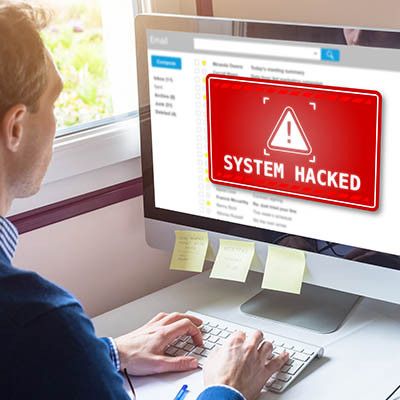
When people picture a cyberattack, they think of a ransom demand. The ransom is often the smallest part. The real bill includes downtime, investigation, legal fallout, lost customers, and damage that lingers for years. By IBM's 2025 Cost of a Data Breach report, the global average breach now costs 4.44 million dollars, and in the United States the average hit a record 10.22 million. Here is where all that money actually goes.

Businesses look everywhere to trim costs, but printing rarely makes the list, even though paper, ink, and toner add up fast. Beyond the money, paper is slower to find, easier to lose, and harder to secure than a digital file. The good news is that a few common tools can cut your paper use sharply, or eliminate it. Here are three that make the biggest difference.

The daily grind of running a business can feel relentless. Overflowing inboxes, endless task lists, information scattered across a dozen apps, and the constant switching between them. None of it is the actual work, and all of it eats the day. The good news is that most of this drain is fixable with the right setup. Here is how to claw back the time the small stuff steals.

One of the biggest reasons businesses move workloads to the cloud is scalability, the ability to add or remove computing resources as your needs change. Instead of buying and maintaining enough hardware for your busiest possible day and letting it sit idle the rest of the time, you adjust on demand. Here is how cloud scalability works and where it pays off.
There are a lot of technology tips worth following, but if we could give a business just one, it would be this: take data security seriously. A breach, a ransomware attack, or a lost laptop can do real financial damage, and most of that risk is closed by a handful of fundamentals. Here are the ones that matter most.

It is late, the workday is behind you, and you are finally relaxing at home. Then your phone dings, a work email, and you feel the pull to just check it. Every time you do, the line between work and the rest of your life gets a little thinner. The always-on culture our technology created is a real driver of burnout, but the same technology, set up thoughtfully, can help your team get their time back. Here is how.

"Work smarter, not harder" usually means using technology to do what people cannot do on their own. It is good advice, but there is a catch that trips up a lot of businesses. Technology does not automatically make a team more productive. Buy the wrong tools, or the right tools without the right setup, and you get expensive gadgets that change nothing. Economists even have a name for the gap between technology spending and actual results. Here is what closes it.

You probably use Google more than you would like to admit, so it is worth knowing a few tricks that get you better results with less scrolling. A handful of simple operators tell Google exactly what you want. Here are four worth keeping in your back pocket.

For decades the business phone tied you to a desk. Step away and you missed the call. That setup does not fit the way teams work now, spread across home offices, the road, and a shifting in-office schedule. Voice over Internet Protocol, or VoIP, was built for exactly this. Here is how it keeps a distributed team connected without a tangle of personal cell numbers.
We focus on security because it is not a matter of if your business faces a cyberattack, but when. Being ready is your responsibility, and one of the most effective ways to be ready is to have a security team behind you. Keeping up with modern threats is more than any one person can do alone. Here is how a managed provider helps you take the fight to them.

Most days, locking your computer at the end of the day is fine. But every so often, a full restart does more than you might think, clearing out problems, speeding things up, and even helping security. Here is why it matters and how to do it right.

Why do smart, careful people still fall for scams? It is not about intelligence. It is about psychology. Attackers are experts at pulling the mental triggers we all have, and most security training tells you what a scam looks like without explaining why it works. Understanding the why is what makes you genuinely hard to fool. Here are the mind games to watch for.

Think of a backup as insurance for everything your business runs on. You hope you never need it. The day you do, it is the only thing standing between a bad morning and a closed company. Most outfits think they have backups covered until they try to actually restore. A real system has three parts, and missing any one of them is how you find out the hard way.
The Three Parts of a Backup You Can Trust
These are not buzzwords. They are the difference between a backup that saves you and a file that was quietly failing for months.
Copies Made Often, and Made Right
A backup from three weeks ago means you lose three weeks of work. The schedule has to match how fast your data changes. For most businesses that means daily at a minimum, and far more often for the systems you cannot run without. The widely used standard here is 3-2-1: three copies of your data, on two different kinds of storage, with one copy kept off-site. CISA recommends the same approach. It sounds simple. Most companies that get hit find they were missing the off-site copy.
Storage That Holds Up Under Attack
Where the copies live matters as much as having them. Ransomware now hunts for backups first, because an attacker who encrypts your backup owns the negotiation. That is why one copy needs to be off-site and, ideally, immutable, meaning it cannot be changed or deleted once written. Whether that copy sits in the cloud or on hardware you control is a real decision, not a default. Cloud is convenient and off-site by nature. On-premises gives you control, speed of restore, and a clear answer for regulated data that is not allowed to leave your walls. For a lot of businesses the right answer is both, and choosing deliberately beats letting a vendor choose for you.
A Recovery Plan You Have Tested
A backup you have never restored is a guess. The plan is the part most people skip, and it is the part that decides how long you are down. How fast can you get the critical systems back? Who does what while the clock runs? Where do you restore to if the building itself is the problem? You answer those questions before the emergency by running a real test restore, not during it.
Where to Start
If you cannot say with confidence that your backups run on schedule, sit somewhere safe from ransomware, and have actually been restored, then you do not have a backup system yet. You have a hope.
We design and run backup and recovery for businesses that cannot afford downtime, including the on-prem, cloud, or hybrid call about where your copies should live. We also build and run the hardware behind on-site backups ourselves, so the advice comes from people who operate it, not just resell it. If you are not sure your backups would hold up, book a call and we will pressure-test what you have.

A CIO's job is to get an organization's technology right, and to take the heat when an initiative does not pan out. That pressure makes caution natural. A lot of the role is saying no when the instinct is to wait. But on a few technologies, the calculation has flipped, and the smart move is now yes. Here are three that forward-looking tech leaders are green-lighting.

© 2026 CybertronIT. All rights reserved.Privacy Policy · Sitemap