
CybertronIT Blog
Cybertron Blog
Cybertron has been serving the Wichita area since 1997, providing IT Support such as technical helpdesk support, computer support, and consulting to small and medium-sized businesses.


It is late, the workday is behind you, and you are finally relaxing at home. Then your phone dings, a work email, and you feel the pull to just check it. Every time you do, the line between work and the rest of your life gets a little thinner. The always-on culture our technology created is a real driver of burnout, but the same technology, set up thoughtfully, can help your team get their time back. Here is how.
0 Comments

"Work smarter, not harder" usually means using technology to do what people cannot do on their own. It is good advice, but there is a catch that trips up a lot of businesses. Technology does not automatically make a team more productive. Buy the wrong tools, or the right tools without the right setup, and you get expensive gadgets that change nothing. Economists even have a name for the gap between technology spending and actual results. Here is what closes it.

You probably use Google more than you would like to admit, so it is worth knowing a few tricks that get you better results with less scrolling. A handful of simple operators tell Google exactly what you want. Here are four worth keeping in your back pocket.

For decades the business phone tied you to a desk. Step away and you missed the call. That setup does not fit the way teams work now, spread across home offices, the road, and a shifting in-office schedule. Voice over Internet Protocol, or VoIP, was built for exactly this. Here is how it keeps a distributed team connected without a tangle of personal cell numbers.
We focus on security because it is not a matter of if your business faces a cyberattack, but when. Being ready is your responsibility, and one of the most effective ways to be ready is to have a security team behind you. Keeping up with modern threats is more than any one person can do alone. Here is how a managed provider helps you take the fight to them.

Most days, locking your computer at the end of the day is fine. But every so often, a full restart does more than you might think, clearing out problems, speeding things up, and even helping security. Here is why it matters and how to do it right.
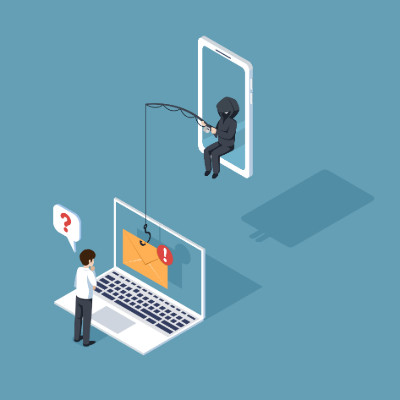
Why do smart, careful people still fall for scams? It is not about intelligence. It is about psychology. Attackers are experts at pulling the mental triggers we all have, and most security training tells you what a scam looks like without explaining why it works. Understanding the why is what makes you genuinely hard to fool. Here are the mind games to watch for.

Think of a backup as insurance for everything your business runs on. You hope you never need it. The day you do, it is the only thing standing between a bad morning and a closed company. Most outfits think they have backups covered until they try to actually restore. A real system has three parts, and missing any one of them is how you find out the hard way.
The Three Parts of a Backup You Can Trust
These are not buzzwords. They are the difference between a backup that saves you and a file that was quietly failing for months.
Copies Made Often, and Made Right
A backup from three weeks ago means you lose three weeks of work. The schedule has to match how fast your data changes. For most businesses that means daily at a minimum, and far more often for the systems you cannot run without. The widely used standard here is 3-2-1: three copies of your data, on two different kinds of storage, with one copy kept off-site. CISA recommends the same approach. It sounds simple. Most companies that get hit find they were missing the off-site copy.
Storage That Holds Up Under Attack
Where the copies live matters as much as having them. Ransomware now hunts for backups first, because an attacker who encrypts your backup owns the negotiation. That is why one copy needs to be off-site and, ideally, immutable, meaning it cannot be changed or deleted once written. Whether that copy sits in the cloud or on hardware you control is a real decision, not a default. Cloud is convenient and off-site by nature. On-premises gives you control, speed of restore, and a clear answer for regulated data that is not allowed to leave your walls. For a lot of businesses the right answer is both, and choosing deliberately beats letting a vendor choose for you.
A Recovery Plan You Have Tested
A backup you have never restored is a guess. The plan is the part most people skip, and it is the part that decides how long you are down. How fast can you get the critical systems back? Who does what while the clock runs? Where do you restore to if the building itself is the problem? You answer those questions before the emergency by running a real test restore, not during it.
Where to Start
If you cannot say with confidence that your backups run on schedule, sit somewhere safe from ransomware, and have actually been restored, then you do not have a backup system yet. You have a hope.
We design and run backup and recovery for businesses that cannot afford downtime, including the on-prem, cloud, or hybrid call about where your copies should live. We also build and run the hardware behind on-site backups ourselves, so the advice comes from people who operate it, not just resell it. If you are not sure your backups would hold up, book a call and we will pressure-test what you have.

A CIO's job is to get an organization's technology right, and to take the heat when an initiative does not pan out. That pressure makes caution natural. A lot of the role is saying no when the instinct is to wait. But on a few technologies, the calculation has flipped, and the smart move is now yes. Here are three that forward-looking tech leaders are green-lighting.
Time is not just money. It is the whole vault. You can buy more tools, hire more people, and add more software, but nobody sells you more hours. So the question worth asking is how to get more out of the ones you have. One of the simplest answers is a method named after a tomato.
What Is a Pomodoro
The Pomodoro Technique was created by Francesco Cirillo in the late 1980s, back when he was a university student trying to beat his own distraction. He grabbed a kitchen timer shaped like a tomato, pomodoro in Italian, and committed to one focused stretch of work before he let himself stop. That tomato timer gave the method its name. The idea stuck because it works.
How It Works
The whole system fits in a sentence. You pick one task, set a timer for 25 minutes, and work on nothing else until it rings. Then you take a five-minute break. Each 25-minute stretch is one pomodoro. After four of them, you take a longer break, 15 to 30 minutes. That is it. No app required, though plenty exist.
The magic is not the exact number. It is the boundary. Twenty-five minutes is short enough that starting does not feel daunting, and long enough to get real work done. The ticking clock makes it harder to drift to your inbox or your phone, because you know the break is coming soon.
Getting the Most From It
A few habits make the difference between trying it once and actually sticking with it.
Respect the timer, and respect the break. When the work timer runs, work. When the break timer runs, actually step away. The break is not optional. It is what keeps your focus fresh for the next round.
Break big jobs into pieces. If a task will take more than three or four pomodoros, it is too big. Split it into chunks that each fit in a block. A vague all-day project becomes a list of clear, finishable steps.
Plan your pomodoros at the start of the day. Roughly map which tasks get how many blocks. You will guess wrong at first. Within a week you will have a real sense of how long your work actually takes, which is useful on its own.
Use leftover time well. Finish early? Do not jump to the next thing. Use the rest of the block to review what you did, tidy your notes, or get a head start. The block belongs to that task until it rings.
Adjust the numbers to fit you. Twenty-five and five are the defaults, not the law. Some people focus better in 50-minute blocks with 10-minute breaks. Try the standard first, then tune it.
Reclaim Your Time
The Pomodoro Technique is free and you can start this afternoon. It will not fix everything, but it is a real dent in the constant pull of distraction. We spend our days helping businesses get time back by taking the IT headaches off their plate, so their people can stay in the work instead of fighting the tools. If technology is what keeps breaking your focus, we can help with that part.

Business technology is expensive, and it gets more expensive when something fails unexpectedly. A lot of that pain comes from how the spending is structured. Historically, IT was a capital expense, big, lumpy, and hard to predict. Shifting more of it to an operating expense can smooth that out. Here is the difference, and how to decide what fits your business.

Smartphones are extensions of ourselves now, and the price of new ones keeps climbing while the new value gets harder to see. Before you spend on an upgrade, it is worth knowing how much more your current phone can do. Here are built-in features and free tools that get real value out of the device already in your pocket.
Ransomware is one of the most dangerous threats a business faces, and it has gotten nastier. The old version just locked your files and demanded payment to unlock them. If you had good backups, you could often recover without paying. Attackers adapted. Now they use double and triple extortion to keep the pressure on even when your backups are solid. Here is how those tactics work and what actually stops them.

How long has your main work computer been in service, and how long does it take to boot, log in, and open what you need? It is tempting to keep old hardware running because it still technically works. But "it still works" hides a real cost. A machine that is too old for the job quietly drains money in ways that add up to far more than a planned replacement. Here is how to know when it is time, and why upgrading on your schedule beats scrambling after a failure.

Almost everything ships with a connection now. Speakers, cameras, thermostats, doorbells, even refrigerators and kids toys. Manufacturers added apps and dashboards because customers asked for them. The trouble is what comes with the convenience. A lot of these devices collect more than they need, guard it poorly, and quietly become a way into the network they sit on. Here is how the gadgets you rely on can work against your privacy, and what to do about it.
The Data Collectors You Stopped Noticing
The features that make a device smart are the same features that make it nosy. A microphone that takes voice commands is a microphone in the room. A camera that lets you check in from your phone is a camera someone else might check in on too. Many devices log far more than they need to function, location, usage patterns, audio snippets, and ship it back to servers you never see.
Read the fine print and you often find the company reserves the right to share or sell that data. The product is cheap because you are part of what is being sold. At home that is uncomfortable. In a business, where the same devices creep into break rooms, lobbies, and offices, it is a real exposure.
The Weak Link on Your Network
Here is the part most people miss. Every connected device is a small computer, and most consumer gadgets are built for price, not security. They ship with default passwords, rarely get patched, and run software the maker forgets about a year later. Attackers know this. A cheap camera or smart plug is often the easiest way onto a network, and once they are on, your laptops, servers, and files are on the same network.
This is the danger of treating a smart device as an appliance instead of an endpoint. It does not feel like a computer, so nobody manages it. It sits there with a known flaw, waiting. One unpatched gadget can undo the careful work you put into protecting everything else.
Taking Control of Your Connected Workplace
You do not have to rip every smart device out. You have to treat them like what they are. Start by knowing what is actually on your network, because you cannot protect what you have not counted. Change default passwords, turn off features and data sharing you do not use, and keep firmware current on anything that matters.
The bigger move is separation. Consumer IoT belongs on its own network segment, walled off from the machines that hold your real data. If a smart thermostat gets compromised, the damage stops at the thermostat. This is standard practice in a well-run network, and it is exactly the kind of thing that gets skipped when nobody owns the problem.
We handle this as part of managed cybersecurity, mapping what is connected, locking it down, and segmenting the network so a weak device cannot reach a strong one. If you are not sure what is talking to the internet from inside your walls, that is worth finding out. Book a call and we will help you take a look.
Moving from a Mac to a Windows PC is mostly familiar, but the details differ, and one of the first things people miss is how to deal with a frozen app. On a Mac, you reach for Command-Option-Escape to force quit. On Windows, the tool you want is the Task Manager, and it does far more than just close stuck programs. Here is how to use it.

Few things are as universally annoying as a flood of spam. Fake pharmacy deals, urgent pleas from foreign royalty, prizes you never entered to win. Your inbox starts to look like a digital landfill. What most people miss is that behind the nuisance sits a large, organized, and shockingly profitable industry. The junk in your folder is the visible edge of a criminal business.
Spam Is Not New
Unsolicited email is almost as old as the network it travels on. The first mass commercial message went out in 1978 over ARPANET, the precursor to the internet, to a few hundred recipients. People hated it then too. The difference now is scale. Sending email costs almost nothing, so a campaign can blast millions of addresses for the price of a coffee. Even a microscopic success rate turns a profit.
The math is the whole point. In a well-known 2008 study called Spamalytics, researchers at the University of California and the International Computer Science Institute infiltrated a live botnet and tracked nearly half a billion spam messages. They found a conversion rate well under 0.00001 percent, roughly one sale per 12.5 million emails sent. That sounds like failure. At spam volumes, it funds the operation and then some.
The Dark Side of Spam
If spam were only bad advertising, you could delete it and move on. The problem is what rides along with it. Modern spam is a delivery vehicle for several kinds of attack, and they all aim at your business.
Malware Delivery
Many spam messages exist to plant software on your machine. One opened attachment or one clicked link, and you can pick up ransomware, a keylogger, or a remote-access tool that hands an attacker the keys. A single infected workstation can become the foothold for an attack on your whole network.
Phishing
Phishing email impersonates a bank, a vendor, or your own IT department to trick someone into handing over a password or wiring money. The good ones are convincing. They copy real logos and real sender names, and they lean on urgency so the target acts before thinking. One set of stolen credentials can open the door to everything else.
Botnet Recruitment
Some spam is recruiting. The payload quietly enlists your computer into a botnet, a network of hijacked machines the attacker controls. Your hardware then gets used to send more spam, mine cryptocurrency, or hammer a target with a denial-of-service attack, all without you noticing. You become part of the problem and pay for the electricity.
Data Harvesting
Other campaigns are built to collect. They confirm which addresses are live, scrape personal details, and bundle that data for sale to the next operator. Every reply, every click on an unsubscribe link in a shady message, tells them you are real and worth targeting again.
Blackhat SEO and Scams
Spam also props up fraud further down the chain. It drives traffic to fake stores, counterfeit goods, and sites stuffed with malicious links that game search rankings. The whole machine runs on volume and on the small percentage of people who click.
What Actually Protects You
You cannot stop spam from being sent. You can control what reaches your people and what happens when something slips through. That means real email filtering, not just the default. It means training so your team can spot a phishing attempt and knows to slow down on anything urgent. And it means layered defenses on the endpoints, so one bad click does not turn into a network-wide incident.
We run this kind of cybersecurity for businesses that cannot afford a quiet breach. Filtering, monitoring, and the human training that backs it up, working together instead of one tool hoping to catch everything.
If your spam problem feels like more than a nuisance lately, it probably is. Book a call and we will take a look at what is getting through and what to do about it.

A business is a lot like a castle. It holds things worth protecting, and it needs defenses built to keep threats out. The mistake many businesses make is relying on a single wall. Real security works in layers, so that if one fails, others still stand. Here is how the pieces of a strong cyber defense map to the parts of a well-built castle.

Hope is a powerful thing. We hope for good health, happy families, and the winning lottery ticket. But hope is a terrible cybersecurity strategy. Everyone hopes they will not be the next data breach, ransomware victim, or phishing casualty, and attackers do not care. They run on opportunity and vulnerability, not luck. The good news is that real protection is not luck either, it is a set of concrete steps. Here is how to turn hope into something that actually defends you.

Most breaches do not start with a genius hacker. They start with something old that nobody updated. Attackers go looking for known holes in systems that stopped getting fixes, because those holes are documented, public, and easy to walk through. If part of your setup has aged out of support, you are not running last year's technology. You are running an unlocked door. Here is where that risk tends to hide.
Operating Systems Past Their Expiration
When a vendor ends support for an operating system, the patches stop. Every flaw found after that date stays open forever, and attackers know exactly which systems are exposed. One laptop or one server still running an end-of-life OS can be the way into everything else on the network. The machine may still boot and run fine, which is the trap. It works right up until the day it is used against you.
This is not an argument to throw out hardware that still has life in it. It is an argument to keep the software on it current and to know the difference. A solid machine can often run a supported, modern OS for years. The problem is the software that stopped being maintained, not the metal it runs on.
Legacy Business Applications
Old line-of-business software is the risk people defend the hardest, because it still does the job and replacing it is a pain. The trouble is that abandoned applications stop getting security updates too, and they often demand an old OS or old plugins to run, dragging the rest of your environment backward with them. If a critical app only runs on something unsupported, that is a real exposure, and it deserves a plan, not a shrug.
Aging Network Gear
The quiet one is the network itself. Routers, switches, firewalls, and access points run firmware, and that firmware reaches end of life just like everything else. A firewall that no longer gets updates is a firewall guarding the front door with a lock the burglars already have the key to. This gear gets installed once and forgotten for years, which is exactly why attackers like it. Knowing when a piece of hardware has genuinely aged out, versus when it just needs a firmware update, is the kind of call you want made by someone who actually runs this equipment.
How to Close the Gap
You cannot fix what you have not found. The first step is a real inventory of what you are running, including the network gear nobody thinks about. From there it is steady work: keep supported software patched, plan replacements for what has aged out before it bites you, and isolate anything that truly cannot be updated yet so a breach there cannot spread.
We do this as part of managed cybersecurity, and because we build and run hardware ourselves, we can tell you honestly when a machine has real life left and when it is a liability. If you are not sure what in your setup has aged out, book a call and we will help you find it.

© 2026 CybertronIT. All rights reserved.Privacy Policy · Sitemap