
CybertronIT Blog
Cybertron Blog
Cybertron has been serving the Wichita area since 1997, providing IT Support such as technical helpdesk support, computer support, and consulting to small and medium-sized businesses.


Your business lives and dies by its network. When it runs well, nobody notices. When it does not, everybody feels it, slow software, stalled file transfers, calls that drop, work that grinds. The frustrating part is that the cause is often a piece of hardware sitting in a closet that nobody has thought about in years. Here is the gear worth checking before it starts costing you.
Wireless Routers and Access Points
These are the on-ramp for every laptop, phone, and device on your network, and they are the easiest to forget. It is normal to run the same router for years without a second thought. The problem is that an older unit handles fewer connections, runs slower wireless standards, and eventually stops getting firmware updates. That last part matters most. A router that no longer gets security patches is a known way in for an attacker, and it is sitting right at your front door.
Firewalls
Your firewall is the guard between your network and the open internet, and it is doing real work every second. Threats change constantly, and an older firewall both struggles to keep up with the traffic and falls behind on the protections it can apply. Once the maker ends support, it stops getting updates against new attacks entirely. At that point it is a guard standing at the door with a list of yesterday's threats. Of everything on this list, an end-of-life firewall is the one to fix first.
Network Switches
Switches are the plumbing that moves data between everything wired into your network, and they are the most invisible of the lot. An aging switch becomes a bottleneck, choking transfers between your machines and servers no matter how fast everything else is. Newer switches move far more data and give you better control over how traffic flows, which matters more every year as the amount of data your business pushes around keeps climbing.
Knowing When It Is Actually Time
Not every old box needs to go. Some gear has years left and just needs a firmware update. The skill is telling the difference, knowing when a unit is genuinely at end of life versus when it is fine and just looks old. That call is a lot easier when it comes from people who build and run this equipment day in and day out, not from someone reading a spec sheet.
We design, supply, and run network hardware for businesses, and we manage the security that rides on top of it. Because we operate this gear ourselves, the advice is honest about what to replace and what to leave alone. If your network feels slower than it should, or you have no idea how old the boxes in that closet are, book a call and we will take a look.
0 Comments

There is real comfort in familiarity. It is why so many of us cling to the way we have always done things, and it is the root of the old line, if it ain't broke, don't fix it. Sometimes that is good advice. Your business technology is not one of those times. Old systems feel free because you already paid for them, but they keep charging you in ways that never show up on an invoice. Here is where the money actually goes.
Lost Productivity, Every Single Day
This is the biggest hidden cost and the easiest to ignore. Slow machines, software that freezes, file transfers that crawl, the few minutes lost waiting for something to load. None of it feels like much in the moment. Multiply those minutes across every employee, every day, all year, and you are paying full salaries for time spent watching a spinner. Your best people are the most expensive ones to leave waiting.
Maintenance That Keeps Climbing
Aging equipment breaks more often, and the repairs get harder as parts get scarce and fewer people know the old systems. You end up pouring money into keeping something alive that a replacement would have handled without a hiccup. At some point the running total of patch jobs quietly passes what it would have cost to just upgrade, and you never noticed crossing the line.
The Security and Recovery Bill
Old technology is also a security exposure, and that is the cost that can end a business rather than just annoy it. Systems past their support date stop getting patches, which leaves known holes open for attackers. The same gear makes recovery harder when something does go wrong, because old systems are slower to restore and do not play well with modern backup tools. A single breach or a failed recovery can dwarf years of upgrade costs in one afternoon.
Modernizing on Your Terms, Not in a Panic
None of this means newest is always best, or that you rip everything out on a vendor's schedule. The point is to decide deliberately instead of waiting for a failure to decide for you. That means knowing the real total cost of what you run, where on-prem, cloud, or a mix actually serves you, and replacing things on a planned cycle rather than in an emergency at the worst possible time.
We help businesses make that call with eyes open. Because we build and run hardware ourselves and manage the security around it, we can tell you honestly what is genuinely costing you and what still has good life left. If you suspect your old setup is quietly draining more than it should, book a call and we will run the numbers with you.

Most businesses treat their technology like a car they never service. It runs great, so nobody touches it, right up until the morning it does not start. By then the cheap fix is long gone and you are looking at a tow truck and a bad week. Your IT works the same way. The smart move is catching the small problems before they turn into the expensive ones, and that is a choice you make on purpose, not a thing that happens by accident.
Why Waiting Costs More
Picture a small stain on your driveway one morning. You look under the car and find a slow drip. You can deal with it now for the price of a part and an hour, or you can ignore it until the engine seizes on the highway. Same leak, wildly different bills, and the only variable is how long you waited.
Technology gives you the same warning signs if someone is watching for them. A drive throwing early errors, a server running hotter than it should, a backup that quietly started failing last week, a security patch that never got applied. None of these stop your business today. Every one of them can stop it next month. The break-fix approach, where you only call for help once something is already down, guarantees you pay at the worst possible moment, with your people sitting idle while the meter runs.
What Staying Ahead Actually Looks Like
Getting ahead of failures is not magic. It is monitoring, maintenance, and a plan. The right tools watch your systems around the clock and flag the early warning signs while they are still cheap to fix. Patches and updates go on before an attacker finds the hole. Aging hardware gets replaced on a schedule instead of in a panic. Backups get checked, not assumed.
The payoff is quiet, which is exactly the point. Fewer outages, fewer emergencies, and a lot less of your team standing around waiting for something to come back up. The best IT is the kind you stop thinking about because it just works.
Let Someone Watch the Gauges
You already do this everywhere else that matters. You service the vehicles, you check the books, you do not wait for the roof to cave in to notice it was leaking. Your technology deserves the same treatment, because it is what everything else runs on.
That is the core of what we do. We monitor, maintain, and secure the systems businesses depend on, so problems get caught early instead of becoming a crisis. We also build and run the hardware ourselves, so we know what early failure actually looks like. If you are tired of finding out about IT problems the hard way, book a call and we will talk about getting ahead of them.

The more ways into your business, the more ways to get robbed. Every device that touches your network, every login, every app, is another door an attacker can rattle. That collection of doors is your attack surface, and most businesses have far more of them than they realize. Forget one oddball laptop or an old wearable still on the Wi-Fi and that can be the gap someone walks through. The good news is that shrinking the surface is straightforward. Here is a three-step way to do it.
Step One: Know Every Way In
You cannot protect doors you do not know exist. Start with a real inventory of everything that connects to your network. Laptops, phones, servers, printers, cameras, smart gadgets, and the cloud accounts and apps your people log into. Most businesses are surprised by how long this list gets. Old test devices, a former employee's login that was never shut off, an app someone signed up for two years ago. Each forgotten one is an open door nobody is watching.
Step Two: Lock the Doors You Keep
Once you can see the surface, start cutting it down. Turn off accounts and devices nobody uses. Remove software your team does not need. For everything that stays, lock it properly: strong, unique passwords, multifactor authentication on every account that offers it, and current patches so known holes are closed. The principle is simple. People and systems should have access to what they need to do their job, and nothing more. Fewer open doors, fewer ways to get hit.
Step Three: Train the People
Your biggest part of the attack surface is not a device. It is your team. Most breaches still start with a person, a clicked link, a convincing fake email, a password reused from a site that got hacked. All the locks in the world do not help if someone props the door open. Regular, plain training on how to spot a phishing attempt and what to do when something looks off turns your people from the weakest link into the first line of defense.
Smaller Surface, Bigger Sleep
You are never going to get the attack surface to zero, and you do not need to. The goal is to cut it down to what you actually use, lock what remains, and keep your people sharp. Do that and you have closed most of the doors before anyone comes knocking.
We do this work for businesses as part of managed cybersecurity, finding the forgotten doors, locking the ones that matter, and training the team that uses them. If you have no idea how many ways into your business are sitting open right now, book a call and we will help you map it.

In June 2025 a headline went around that should have stopped anyone cold: 16 billion passwords leaked, with a b, covering social media, VPNs, corporate tools, and just about every online service you can name. The number got repeated everywhere, usually with the phrase largest breach in history attached. It is a great scary story. It is also not quite what happened. The real version matters, because the wrong takeaway leaves you focused on the wrong threat.
Was It Really 16 Billion?
Here is what actually occurred. Researchers at Cybernews found roughly 30 exposed datasets holding about 16 billion login records in total. The catch is that this was not one giant new break-in. It was a pile of credentials gathered over time, mostly by infostealer malware that quietly harvests logins off infected computers, mixed in with data from older breaches. There is heavy overlap and duplication, so the same login can be counted many times. So 16 billion unique brand-new passwords? No. 16 billion records swept together from countless smaller thefts? Closer to it.
Why the Fact-Twisting Is Its Own Problem
You might think a scarier headline is fine if it gets people to pay attention. It backfires. When the number turns out to be inflated, people decide the whole thing was hype and tune out the next warning, including the real ones. And a one-time mega-breach framing points you at the wrong fix. This was not a single event you wait out. It is a steady drip of credential theft happening every week, which calls for habits, not a panic.
What Exposed Credentials Actually Cost a Business
Whatever the headline number, the danger is real. One working username and password can hand an attacker the keys. That leads to drained accounts and fraud, the reputational hit of telling customers their data leaked, downtime while you lock everything back down, legal and compliance exposure if regulated data was involved, and real harm to the customers whose information you were trusted to hold. The credential is small. The blast radius is not.
How to Actually Protect Your Business
Because this is a steady threat rather than a single event, the defense is steady too. Use multifactor authentication everywhere it is offered, so a stolen password alone is not enough to get in. Stop reusing passwords across accounts, and use a password manager so unique ones are realistic. Watch for credentials of yours showing up in known leaks so you can change them before they are used. And keep machines clean and patched, because infostealer malware is how most of these credentials get grabbed in the first place.
We handle exactly this for businesses as part of managed cybersecurity: enforcing multifactor, monitoring for leaked credentials, and keeping the malware that steals them off your systems. If you are not sure how many of your logins are already floating around out there, book a call and we will help you find out and lock things down.

Good cybersecurity starts with an honest look in the mirror, not a shopping list. Before you buy tools or change anything, you need to know what you are actually protecting and what you stand to lose. These four questions cut through the noise and tell you where you really stand.
Are You Honest About Being a Target?
The most common and most expensive misconception is that smaller businesses are not worth attacking. They are. A lot of attacks are automated, sweeping the internet for any weakness regardless of company size, and a smaller business with lighter defenses is often the easier hit. The first step is dropping the assumption that you are too small to bother with. You are not.
What Does an Hour of Downtime Cost You?
Put a real number on it. If an attack took your systems offline for a day, or a week, what does that cost in lost revenue, idle staff, missed orders, and customers who go elsewhere? Most owners have never done this math, and the figure is almost always bigger than they guessed. Once you see it, the right level of spending on prevention becomes obvious, because you are weighing it against a number that hurts.
Where Do Your People Fit In?
Your team is both your first line of defense and your most common weak point. Most breaches still start with a person, a clicked link or a convincing fake email. So ask honestly: do your people know how to spot a scam? Is there a clear rule for verifying a payment request? Has anyone actually trained them, or are you hoping? The cheapest security upgrade available is usually a better-trained team.
Do You Know What You Are Up Against?
The threats do not hold still. The trick that worked on attackers last year is replaced by a new one, and defenses that were solid two years ago can be out of date now. You do not need to track every new exploit personally, but someone needs to be watching, because security set once and forgotten is security slowly going stale.
From Questions to a Plan
Answer these four honestly and you have the start of a real plan, grounded in your actual risk instead of generic advice. The next step is acting on it: monitoring, patching, tested backups, and trained people, kept up over time rather than bolted on once.
That ongoing work is what we do. We run managed cybersecurity for businesses, starting with an honest assessment of where you stand and what it would cost you if things went wrong. If you cannot confidently answer the four questions above, book a call and we will work through them with you.

Android 16 is now rolling out, and the headline for businesses is a new security mode called Advanced Protection. Phones go everywhere your work does, full of email, files, and logins, which makes them a real target and an easy thing to overlook. This feature is worth knowing about, because it folds a lot of strong protection behind one switch.
What Advanced Protection Is
If the name sounds familiar, that is fair. Google has used Advanced Protection before for high-risk accounts. The Android 16 version is broader. It is a device-level mode that gathers the operating system's strongest security settings into a single group and turns them all on at once.
One Switch, and It Stays On
The smartest part is the simplicity. Instead of hunting through menus and flipping a dozen settings one at a time, hoping you did not miss one, you flip a single toggle. Even better, once it is on, those protections lock so they cannot be turned off individually. That matters in a business. A setting that an employee, or a piece of malware, can quietly switch off is not much of a protection. This one holds.
What You Actually Get
Behind that switch is a real list. Google Play Protect runs constant malware scanning that cannot be disabled. Installs from outside the official store, including sideloaded apps, get blocked, which closes one of the most common ways bad software gets onto a phone. Theft and offline device locks kick in if a phone is stolen. USB connections default to charging only while the device is locked, so someone cannot plug in and pull data off a phone they grabbed. And the phone automatically reboots after 72 hours locked, which puts your data back into its strongest encrypted state if a device goes missing and nobody touches it.
Why This Is Good News
We are always glad to see real security baked into the tools people already use, on Android and everywhere else. The hard part of mobile security has never been that the protections do not exist. It is that turning them all on is tedious, so most people never do. Putting the strong options behind one switch, and making them stick, is exactly the right move.
That said, a feature on a phone is one piece. Business mobile security is about every device that touches your data, consistently, not one well-configured phone among many. We help businesses lock down the phones, laptops, and accounts their people use every day as part of managed cybersecurity. If your team uses their phones for work and nobody is managing how those phones are secured, book a call and we will help you close that gap.

Think about how often you retype the same message in a given week. The status update, the new-client welcome, the answer to the question you get asked constantly. Each one feels like 30 seconds. Add them up across a year and across your team and it is real time, real mental energy, and a steady risk of typos and missed details every time you do it from scratch. Gmail has a built-in fix for this, and most people never turn it on.
What a Template Does
A template is a saved email you can drop into a new message with a couple of clicks, then tweak and send. Instead of rewriting your standard reply for the hundredth time, you load it, adjust the name or a detail, and you are done. The wording stays consistent, nothing important gets left out, and you get the time back.
How to Turn Templates On
Templates are off by default, so step one is enabling them. In Gmail, open Settings using the gear icon, then See all settings. Go to the Advanced tab, find Templates, and select Enable. Save your changes and Gmail reloads with the feature ready.
How to Create One
Click Compose and write the email exactly as you want it saved, subject line and all. Then click the three-dot menu in the bottom corner of the compose window, hover over Templates, choose Save draft as template, and Save as new template. Give it a clear name you will recognize later. Repeat for each message you find yourself sending again and again.
How to Use One
Next time you need that message, click Compose, open the same three-dot menu, hover Templates, and pick the one you want. It drops straight into the email. Change whatever needs changing for this specific person and hit send. What used to take a few minutes now takes a few seconds.
Where the Real Payoff Is
The advantage is not just speed. It is consistency. Your team sends the same accurate, on-brand message every time, instead of ten slightly different versions depending on who typed it and how rushed they were. Build templates for your most common replies and you have quietly standardized a chunk of your communication without a single meeting about it.
This is one small example of a bigger truth: the right setup of the tools you already pay for can hand your people hours back every week. That is a lot of what we do, finding the friction in how a business actually works and taking it out. If your team is losing time to busywork the technology could be handling, we can help with that.

Data loss is not a question of if. For an unprepared business it is a question of when. The good news is that the ways data actually disappears are pretty predictable, which means you can get ahead of them. Almost every case comes down to one of three things. Here is what they are and how to make sure none of them takes you down.
Hardware Fails
It is wishful thinking to expect any machine to last forever. Drives, servers, and the components inside them wear out, overheat, and fail, sometimes with warning and sometimes without. A single dead drive at the wrong moment can take a lot of work with it. This is not a reason to fear your equipment. It is a reason to run it well and plan for the day a part gives out. Good hardware gives you three to five solid years when it is monitored, maintained, and refreshed while it's still under manufacturer support. We build and run hardware ourselves, so we know the warning signs and we know failure is a when, not an if. That is exactly why a backup is not optional.
You Get Attacked
The deliberate cause is the scariest one. Ransomware encrypts your files and demands payment. Other attacks wipe or corrupt data on the way out. The hard lesson many businesses learn too late is that modern attackers go after your backups first, because a company that cannot restore is a company that has to pay. Protecting your data means protecting the copies of it too, with at least one kept off-site and out of reach of whatever hits the main systems.
Someone Makes a Mistake
The most common cause is also the most human. Someone deletes the wrong folder, overwrites a file, spills coffee on a laptop, or formats the wrong drive. No malice, no hacker, just a normal person having a normal bad moment. You cannot train mistakes out of existence, so the answer is a safety net: regular backups that let you roll back to before the slip, and permissions that limit how much damage any one wrong click can do.
Do Not Let It Paralyze You
Three causes, one answer. A backup and recovery plan that actually works covers all of them, the dead drive, the ransomware, and the honest mistake alike. The trick is that the plan has to be real: copies made on a schedule, kept somewhere safe, and actually tested so you know they restore. A backup you have never restored is just a hope with a file size.
We design and run backup and recovery for businesses that cannot afford to lose their data, and we manage the security and the hardware it depends on. If you are not certain you could recover from any of these three tomorrow, book a call and we will help you get certain.

The point-of-sale system used to be a fancy cash register. That era is over. Today your POS handles payments, yes, but also inventory, customer records, sales reporting, and more. It has quietly become one of the most important systems you run. So choosing or upgrading one is not a payments decision. It is a decision about how well the core of your business is going to work for the next several years. Here are four things that actually matter.
It Has to Connect to Everything Else
A POS that sits on an island is a POS working against you. The real value shows up when it talks to your other systems, accounting, inventory, customer records, so a sale updates stock, feeds the books, and builds the customer history automatically. When everything connects, you stop rekeying the same numbers in three places and you get one honest picture of the business instead of several conflicting ones.
Security Is Not Optional
Your POS touches payment details and customer data, which makes it a prime target. A breach here is not just embarrassing, it can bring fines and a loss of trust you do not get back easily. Whatever system you run has to take security seriously: encrypted transactions, regular updates, and proper access controls so not everyone can see or change everything. If a POS vendor is vague about security, that is your answer.
It Should Grow With You
The system that fits one location and three employees may buckle at three locations and thirty. Think past today. Can it add registers, locations, and users without a painful rip-and-replace? Buying for where you are headed, not just where you are, saves you from doing this whole project again in two years.
It Should Make the Day Easier
A POS your staff fight with is a POS that slows down every transaction and frustrates customers in line. The good ones are fast, clear, and simple enough that training someone new takes minutes, not days. Speed at the counter and a smooth checkout are not nice-to-haves. They are repeat business.
The Full Picture
Connection, security, room to grow, and ease of use. Weigh a POS against all four and you are choosing a backbone for the business, not just a way to take payments. Skip one and it tends to be the thing that bites you later.
We help businesses choose, secure, and run the systems they depend on, including the hardware behind the counter and the security around the data it handles. If your POS is holding you back or you are weighing an upgrade, book a call and we will help you get it right.

Productivity is one of those goals every business chases and few feel they have caught. Today is World Productivity Day, which is as good an excuse as any to stop and ask why a busy day so often ends without the important work actually getting done. Usually it is not effort. It is friction. Here are three habits that cut the friction and give you your day back.
Put a Leash on Notifications
Every ping pulls your attention, and getting back to real focus after an interruption takes far longer than the interruption itself. You do not need to know the instant every email, chat, and app update arrives. Turn off the notifications that do not matter, silence the ones that can wait, and check messages on your schedule instead of theirs. Batch them into a few set times a day and protect the blocks in between for actual work. The quiet is where the good stuff gets done.
Automate What You Can
If you do the same small task by hand every day, that is time you are spending that a computer could spend for you. Recurring reports, file backups, sorting incoming email into folders, standard replies, calendar reminders. Most of the tools you already use can handle this kind of busywork on their own once they are set up. Each automated task is a few minutes back, every day, forever. They add up fast.
Get and Stay Organized
Time spent hunting for a file, a login, or the right version of a document is pure waste, and it is constant. A simple, consistent system for where things live, clear folder structures, shared drives your whole team uses the same way, and naming you can actually search, pays off every single time someone needs to find something. Boring to set up, quietly powerful forever.
The Habit Behind the Habits
Here is the one that ties the rest together: get a real IT partner who keeps your technology out of your way. The biggest productivity drain in most businesses is not a lack of discipline. It is tools that fight you, systems that break, and time lost to problems nobody is managing. When your technology just works, every other habit on this list gets easier.
That is the part we handle. We keep the systems businesses run on fast, secure, and out of the way, so your people can spend their time on the work that matters instead of fighting the tools. If technology is what keeps derailing your team's focus, we can help with that.

Cybersecurity has a marketing problem. When it works, nothing happens, and nothing is hard to appreciate. There is no headline for the breach you avoided, no thank-you note for the ransomware that never hit. So it is easy to treat security as a cost you could trim, right up until the day it is the only thing between you and a closed business. The whole point is the disaster you never have to live through. Here is what is actually at stake.
You Are a Target, Whether You Believe It or Not
The most expensive assumption a small business makes is we are too small to bother with. Attackers do not hand-pick targets the way you might imagine. Much of it is automated, scanning the whole internet for any system with a weakness, and your size does not register. A smaller business with thinner defenses is often an easier score than a big one with a security team. Being overlooked is not a strategy. It is a coin flip you keep calling.
A Breach Brings the Regulators
If attackers get to sensitive data, customer records, payment details, health or financial information, the damage does not stop at cleanup. Depending on what you hold and what rules apply to you, a breach can trigger reporting obligations, investigations, and penalties. You end up paying for the incident and then paying again for the fallout. Prevention is a lot cheaper than a regulatory problem with your name on it.
Downtime Hits Everything at Once
An attack does not just expose data. It stops you working. Systems get locked, files get encrypted, and your team sits idle while you scramble to recover. Every hour down is revenue you do not earn, customers you cannot serve, and trust you have to win back later. For a lot of businesses, a long enough outage is the thing they never fully recover from.
Buy the Quiet
Real security is layered and ongoing, not a product you buy once. Monitoring that catches trouble early, patches applied before attackers find the holes, backups you have actually tested, and people trained to spot the tricks. None of it is flashy. All of it is the difference between a quiet year and a catastrophic one. The best money you spend on security is the money that buys you a year where nothing happened.
That quiet is what we sell. We handle layered cybersecurity for businesses, and where regulated data is involved we help with the compliance side too. If you are not sure your defenses would hold, the time to find out is before an attacker does. Book a call and we will take a look.

The talk about artificial intelligence and jobs keeps getting louder, and a lot of people are quietly worried about their own. The idea of being replaced by software is unsettling. Knowledge helps. Once you understand what AI can and cannot do, the picture gets clearer, and a lot less scary, for employers and employees alike. Here is what the credible research actually says.
A Sober Look at the Numbers
The serious estimates are big, but they are about change, not pure elimination. A widely cited 2023 Goldman Sachs report estimated AI could affect as many as 300 million full-time jobs worldwide. McKinsey has estimated that current technology could automate around 45 percent of the specific activities people are paid to do, which is not the same as 45 percent of jobs disappearing. The World Economic Forum's Future of Jobs Report 2023 projected that 23 percent of jobs would change by 2027, with about 83 million roles eliminated and 69 million new ones created. That is real churn, and it points squarely at one thing: reskilling.
The impact is not even, either. The IMF found in early 2024 that roughly 40 percent of jobs globally are exposed to AI, rising to about 60 percent in advanced economies and falling to around 26 percent in low-income ones. And here is the part the scary headlines skip: the IMF also found that about half of those exposed jobs could be helped by AI rather than hurt, with the technology making people more productive instead of replacing them.
The Other Side of the Coin
Job displacement is the headline, but it is only half the story. The same technology that automates tasks also creates real opportunity. AI takes the repetitive, low-value work off people's plates, the data entry, the sorting, the first-draft grunt work, and frees them for the parts that actually need a human. Used well, it does not shrink your team. It makes the team you have more capable, faster, and able to focus on the work that grows the business. The companies that come out ahead are the ones that treat AI as a tool to hand their people, not a replacement for them.
How to Come Out Ahead
The difference between AI as a threat and AI as an advantage comes down to how you bring it in. Thrown at a team with no plan, it creates fear and security risk. Introduced deliberately, with the right guardrails and the right tools, it lifts what your people can do. That includes keeping your data under control, because feeding sensitive business information into the wrong AI tool is its own kind of risk.
That is the part we help with. Our Private AI work helps businesses put AI to use on their own terms, with their data kept private and under their control, so the productivity is real and the exposure is not. If your team is anxious about AI, or you are not sure how to adopt it without creating new problems, book a call and we will help you make it an advantage.

As the person running things, you wear every hat. CEO, head of sales, the marketing department, and more often than anyone admits, the IT department too. So when a computer runs slow or a program acts up, dealing with it drops to the bottom of the list. That is human. It is also expensive. Putting off your technology is not saving money, it is borrowing against it, and the bill always comes due. Here is where it adds up.
Old Systems Keep Charging You
Hardware and software that limp along feel free because you already paid for them. They are not. Slow machines burn a few minutes of everyone's day, repairs get more frequent and more expensive, and software past its support date stops getting security fixes entirely. The longer you wait, the bigger the eventual bill, and the more likely it lands as an emergency instead of a planned upgrade.
Skipped Security Is a Gamble
Treating cybersecurity as someday is the most dangerous version of this. Unpatched systems, no real backups, no training for your people. Each gap is a door left open, and attackers go looking for exactly these. The business that never got around to security is the one that ends up paying for a breach, which costs far more than the prevention ever would have.
Messy Data Slows Everything
When nobody owns how data is stored, it sprawls. Files live in five places, nobody trusts which version is current, and half of it is not backed up. Beyond the daily friction of hunting for things, disorganized data is a real risk the day you need to recover or prove what you have for a customer or a regulator.
Never Even Asking the Big Questions
Apathy also means you never step back and ask whether your setup still fits. Should certain systems move to the cloud, stay on-prem, or run as a mix? Where should your regulated data actually live? Those are real decisions with real money attached, and duct-taping the status quo year after year means you make them by default instead of on purpose. There is no single right answer, but there is a wrong way to decide, which is not deciding at all.
The Domino Effect
None of these sit in isolation. Old hardware is harder to secure. Poor security makes a data disaster more likely. Disorganized data makes recovery slower. One neglected piece makes the next one worse, and a small ignored problem becomes the thing that takes a department, or the whole business, offline.
You do not have to be the IT department. That is what we are for. We keep the systems current, the security tight, and the data in order, and we help you make the on-prem versus cloud calls deliberately. Because we build and run hardware and manage security ourselves, the advice is straight. If your technology has been living at the bottom of the to-do list, book a call before it climbs to the top on its own terms.
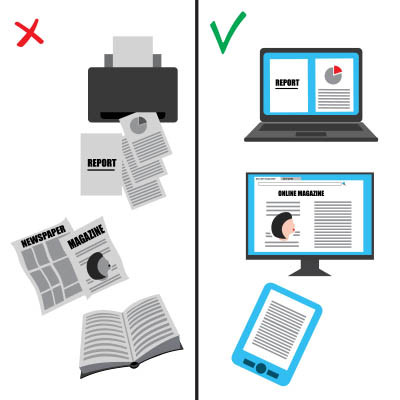
In nearly every office, the printer hums along in the background, so familiar that nobody questions it. Worth questioning, though. The average office worker goes through roughly 10,000 sheets of paper a year, a figure cited by the EPA and repeated across plenty of studies. That is real money, real clutter, and a real environmental cost. And much of it is waste: research has found nearly half of printed documents are tossed within a day. Cutting it down is not just about saving trees, it is about working smarter. Here are three ways to do it.
Move the Work Off Paper
Most of what gets printed never needed to be. Reviewing a document, sharing a draft, signing a form, collaborating on a file, all of it can happen on screen now, often better than on paper. Shared documents let several people work on the same file at once instead of printing copies for everyone. Digital signatures handle contracts without a single sheet. The less your workflow depends on paper, the faster and cheaper it gets, and the easier it is to find things later.
Build Better Printing Habits
Some printing is unavoidable, so make what remains intentional. Before anyone hits print, the question is simple: do I actually need this on paper? A lot of printing is reflex, not need. Encourage people to read on screen, print double-sided, and skip the cover pages and full-color graphics nobody asked for. Small habit changes across a whole team add up to a noticeably smaller stack and a smaller bill.
Make the Smart Choice the Default
The most reliable way to change behavior is to not rely on behavior. Set printers to double-sided and black-and-white by default, so the wasteful option takes extra effort instead of the other way around. Set up scanning that drops documents straight into your shared system so paper does not pile up in the first place. When the efficient choice is the automatic one, savings happen without anyone having to think about it.
Less Paper, Smoother Work
Cutting printing is one of those rare wins that saves money, reduces clutter, helps the environment, and makes your team faster all at once. It just takes the right setup and a few habits. The payoff shows up every month on the supply budget and every day in how easily people find what they need.
Helping businesses build smarter, faster workflows out of the tools they already have is a lot of what we do. If your office runs on more paper than it should and you want to fix that without disrupting how people work, we can help.

Technology is supposed to push your business forward, making the work smoother and faster. Sometimes it does. Other times it feels like a gremlin got loose in the engine room, and usually a small bad habit is the cause. We have seen the same patterns again and again. Here are three common missteps quietly sabotaging businesses, and how each one gets fixed.
Putting Off Updates
The update reminder pops up, you are busy, you hit later. Then later becomes never. The problem is that a lot of those updates are security patches closing holes that attackers already know about. Every day you delay leaves a known door open. The fix is simple: keep your systems set to update on a schedule, and do not let the reminder become a permanent fixture in the corner of the screen. If managing that across a whole team sounds like a hassle, it is exactly the kind of thing that should run automatically in the background.
Weak and Reused Passwords
Password123. Your company name with a 1 on the end. The same password on a dozen accounts. These are the digital equivalent of leaving the key under the mat. Attackers run automated tools that guess weak passwords in seconds, and a password reused from a site that got breached hands them the rest of your accounts for free. The fix is unique, strong passwords on every account, a password manager so that is actually realistic, and multifactor authentication so a stolen password alone is not enough to get in.
Running Without a Backup
This is the one that ends businesses. Operating with no real backup is fine right up until a drive dies, ransomware hits, or someone deletes the wrong thing, and then it is a catastrophe. Hope is not a backup. The fix is a real plan: copies made on a schedule, at least one kept off-site and out of reach of ransomware, and, most important, actually tested so you know they restore. A backup you have never restored is a guess.
Stop Putting Your Future on the Line
None of these three is hard or expensive to fix. What they have in common is that they are easy to ignore, right up until the day they are not. Get ahead of them and you have closed off a huge share of the ways a business gets hurt. Wait, and you are gambling with the whole thing.
Catching these before they bite is a core part of what we do. We keep systems patched, accounts locked down, and backups tested as part of managed cybersecurity, so the small habits never grow into the big disaster. If you are not sure where your business stands on these three, book a call and we will take a look.

You hear it constantly: invest in the right technology and the returns will follow. What you rarely get is a straight answer on what those returns actually are. If you ask your IT provider what you are getting for your money and the answer is a fog of jargon, that is worth paying attention to. The ability to explain value in plain language is one of the clearest signs of a provider worth keeping.
Why ROI on IT Feels So Hard to Pin Down
There are a few honest reasons it gets murky. Some providers reach for jargon because it sounds impressive and hides the fact that they cannot connect what they do to your bottom line. Some genuinely do not understand the business value of the tools they sell. And some of the value really is hard to show, because the biggest win in IT is often the disaster that never happened, and it is tough to put a number on a breach you prevented or an outage that never occurred.
That last one is real, but it is not an excuse for vagueness. A good provider can still talk in concrete terms about what their work is protecting you from and what it is saving you.
How to Judge a Provider in About a Minute
Ask a simple question: how will this help my business? Then listen for whether the answer is tied to your goals and stated in outcomes you can picture. A strong provider speaks in specifics, things like switching certain workloads to cloud-hosted services could cut operational costs by a meaningful margin each year, or adding multifactor authentication blocks the overwhelming majority of phishing-based attacks, or the right customer system can measurably improve your sales forecasting. The exact numbers will depend on your situation, but the shape of the answer is what matters: concrete, tied to your goals, and explained in language you do not need a translator for.
If instead you get buzzwords, deflection, or a feature list with no link to your business, that tells you something. A provider who cannot explain the value clearly either does not understand it or does not want you looking too closely.
Clear Value, Not a Word Salad
Your technology is a significant investment, and you deserve to understand what it is doing for you. The right partner makes that easy. They tie every recommendation to a goal you actually have and an outcome you can measure, and they can do it without a glossary.
That is how we work. We connect what we do to your goals and explain the value in plain terms, because if we cannot tell you why something is worth it, it probably is not. If your current IT cannot give you a straight answer on what you are getting, we are happy to give you one.
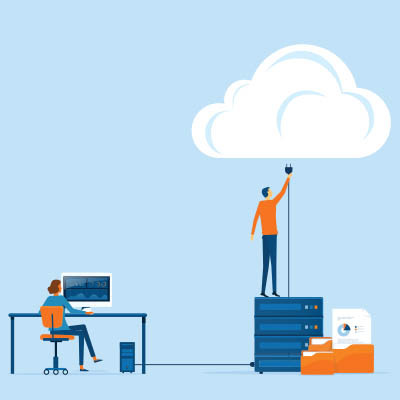
Most businesses think backup and recovery are the same thing. They are not. A backup is a copy of your data. Recovery is getting your business running again after something goes wrong, and that takes more than copies. Plenty of companies discover the gap at the worst possible time, when they have backups but no real way to get back to work. Here is what a complete strategy actually includes.
Copies On-Site and Off-Site, on Purpose
Where your data lives is a deliberate decision, not a default. An on-site copy, on hardware you control, gives you the fastest possible restore and keeps you in command of your data, which matters a great deal for regulated information. An off-site copy, in the cloud or at another location, protects you when the threat is physical or spreads across your network, like a fire, a flood, or ransomware. You want both. The on-site copy gets you back fast on a normal bad day. The off-site copy saves you when the building or the whole network is the problem. Choosing both deliberately beats letting a vendor decide for you.
Build In Redundancy
One copy of anything is a single point of failure. Real resilience means multiple copies across different systems, so no single event, a dead drive, a corrupted file, a bad sync, takes out your only lifeline. Redundancy is the whole point: when one copy fails, and eventually one will, another is ready.
Write the Recovery Plan
This is the piece backups alone do not give you. A disaster recovery plan answers the questions you do not want to be figuring out mid-crisis. How fast must each system come back? In what order? Who does what? Where do you restore to if your main location is down? A plan turns a panic into a procedure, and the difference shows up directly in how long you are offline.
Protect the Backups Themselves
Modern attackers hunt for your backups first, because a company that cannot restore is a company that has to pay. So your backups need their own security: at least one copy off-site and out of reach, ideally immutable so it cannot be altered or deleted once written. A backup an attacker can encrypt is no backup at all.
Test It, Then Test It Again
A backup you have never restored is a guess, and a recovery plan you have never run is a theory. Test restores on a schedule. Walk through the plan. Things change, systems get added, and a strategy that worked last year may have quiet gaps now. The time to find them is during a test, not during a disaster.
All of this together is what keeps a business running through the worst day. We design and run complete backup and disaster recovery for our clients, including the on-prem, cloud, or hybrid call and the hardware and security behind it. If you have backups but no real recovery plan, book a call and we will help you close the gap.

Growing a business means making smart calls, and buying technology is one of the trickiest. You need capable tools to compete and grow, but you also have a budget to respect. Spend too little and you hamstring your team. Spend too much and you have paid for features nobody touches. Here is how to find the sweet spot where your technology truly supports your goals without wasting money.
Start With What You Actually Need
Before you look at a single product, get clear on the problem you are solving. What does this technology actually have to do for your business? It is easy to get dazzled by features and end up buying a tool built for a company twice your size. Pin down your real requirements first, and you have a yardstick to measure every option against.
Prioritize by Impact
Not every tech investment moves the needle the same amount. Some directly drive revenue or remove a major bottleneck. Others are nice to have. Put your money where the impact is biggest first. Spending on the thing that unblocks your whole team beats spreading the budget thin across upgrades nobody asked for.
Buy Something That Can Grow
The tool that fits you today should not break the moment you get bigger. Look for options that scale, that can add users, locations, or capacity without forcing a painful rip-and-replace in two years. Buying for where you are headed, not just where you are, saves you from paying for the same project twice.
Fit-for-Purpose Beats Feature-Packed
The most expensive, feature-loaded option is rarely the smartest buy. A well-chosen tool that does the core job well can cover most of your needs at a fraction of the cost of the deluxe version. Do not pay for a long list of capabilities you will never use. Match the tool to the job, not to the brochure.
Count the Total Cost, Not Just the Price Tag
The purchase price is only the start. The real cost includes setup, training, maintenance, support, and what it takes to keep the thing running over its whole life. A cheaper option that is a nightmare to maintain can easily cost more in the long run than a pricier one that just works. Always weigh the total cost of ownership before you decide.
Finding that balance between capability and cost is exactly the kind of decision we help businesses make every day, with advice grounded in what actually serves your goals rather than what is easiest to sell. If you are weighing a technology investment and want a straight answer on what is worth it, we are happy to help.

Technology matters for any business, but for a smaller one, keeping pace is no longer just a smart move. It is becoming a matter of survival. Customers expect more, faster, and the competition is happy to meet that expectation. Fall behind on the tools your business runs on and the gap between you and the businesses that did not keeps widening, often before you even feel it.
Why Not Just Stick With What Works?
It is a fair question. If your systems are not broken, why touch them? Because technology is not only about fixing what is broken. It is about seizing opportunities and reducing risks you may not see yet. The setup that works fine today can quietly become the thing slowing you down tomorrow, while a competitor who modernized is serving customers faster and cheaper. Staying still feels safe. In a moving market, it is not.
Keeping Current Without Chasing Every Shiny Thing
This does not mean buying every new gadget or ripping out everything that still works. Plenty of proven systems have years of good life left, and chasing trends for their own sake wastes money. The goal is deliberate: keep the capabilities your business depends on current, retire what has genuinely aged out, and make the on-prem, cloud, or hybrid calls on purpose rather than by neglect. Modern does not mean newest. It means fit for what you need to do now and where you are headed.
The Challenge Is Real, and So Is the Fix
Most owners know they should be keeping up. The hard part is finding the time and knowing where to focus, while already running the business. That is exactly the gap a good IT partner fills: someone watching how the technology landscape is shifting, flagging what actually matters for your business, and handling the work so you can stay focused on the customers in front of you.
Stay Ahead, Not Behind
The businesses that treat technology as an afterthought tend to be the ones playing catch-up. The ones that keep it current, deliberately and without overspending, are the ones setting the pace. Which side of that you land on is largely a choice.
Helping businesses stay current and competitive without wasting money on hype is a core part of what we do. We keep the systems sharp, retire what is holding you back, and make the upgrade calls with your goals in mind. If you suspect your technology is quietly costing you ground, we can help you get ahead of it.

© 2026 CybertronIT. All rights reserved.Privacy Policy · Sitemap